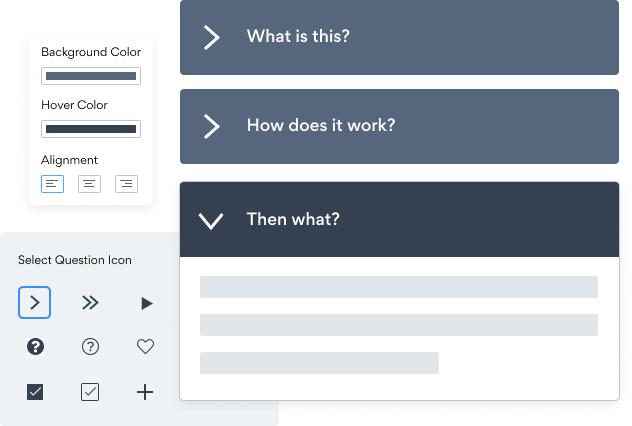

Встраивание приложения よくある質問 на ваш сайт Webs никогда не было проще
Создайте свое собственное приложение よくある質問 Webs, подберите стиль и цвета своего веб-сайта и добавьте よくある質問 на свою страницу Webs, пост, боковую панель, нижний колонтитул или где угодно на своем сайт.
How To Add a よくある質問 App on Webs:
Create a Free よくある質問 App
Start for free nowОткройте редактор веб-страниц
Перейдите на страницу, где вы хотите добавить свой плагин よくある質問.Пользовательский HTML
Выбрать Другое из списка компонентов. Перетащите пользовательский элемент HTML на страницу.Новый элемент HTML
Дважды щелкните на сером поле.Скопируйте и вставьте код
Вставить the following код в поле. Тогда сохраните .Edit ваше よくある質問 на Webs:
Перейти к the в прямом эфире Webs website и click Значок настроек в верхнем правом углу the よくある質問 app.
Need to know more about features and integrations of our よくある質問 app?
See the detailsRemove the Guesswork of Building Your Brand
Если ваш веб-сайт Webs запущен и работает, вы преодолели первую серьезную проблему на пути к расширению присутствия своего бизнеса в интернете. поздравляю!


Некоторые компании сначала try делают все своими руками (diy) よくある質問 или имеют «techie», который утверждает, что он / она может построить a よくある質問 in 'no time'.
Кроме того, настройка и обновление よくある質問 требует еще больше времени и может вызвать новые проблемы или ошибки.
Поскольку powr рассчитан на масштабирование, он имеет самые передовые встроенные средства безопасности и доступные возможности большого объема.

Кроме того, наша команда опытных инженеров работает круглосуточно, чтобы приложения powr, такие как ваш Webs よくある質問, работали на вас.
Если вы все еще find it unbelievable, то take a look at то, что есть у rbia shades, компании по производству солнцезащитных очков, creates ручной работы в деревянных рамах, seen in their business.



POWR apps are made to grow your online revenue.
See apps in action

Trusted by the best in the biz!
POWR has helped over a half million businesses on every continent
(besides Antarctica, because of course not)


Frequently Asked Questions
Learn more about how to add POWR apps to your website.
Yes, any POWR app will work perfectly on any website. What’s better, is the patented POWR Live Editor is the same regardless of the app.
- Easily add more than one (for free)
- Edit to your needs directly from your live site
- Changes are made instantly
Absolutely! The POWR よくある質問 widget is optimized for mobile, ensuring that it looks great and functions smoothly across all devices, including phones and tablets.
This optimization enhances user experience, contributing to higher engagement rates on your Webs site.
POWR よくある質問 allows you to edit every detail such as fonts, colors, borders, and spacing directly from the editor, ensuring your よくある質問 perfectly match your brand's identity.
This flexibility makes it easy to integrate and align with your site's look and feel.
Adding よくある質問 to your Webs site is fully outlined above and straightforward with no coding required.
Simply follow POWR's setup guide, which is as easy as copy/pasting the provided code snippet into your site's HTML.
This ease of installation makes it convenient for Webs site owners to implement よくある質問 and gather feedback from their audience.
Using POWR よくある質問 on your Webs site offers numerous benefits, including enhanced customization options and easy installation without coding.
These features help improve your site's user engagement by allowing visitors to provide valuable feedback, leading to better online growth.