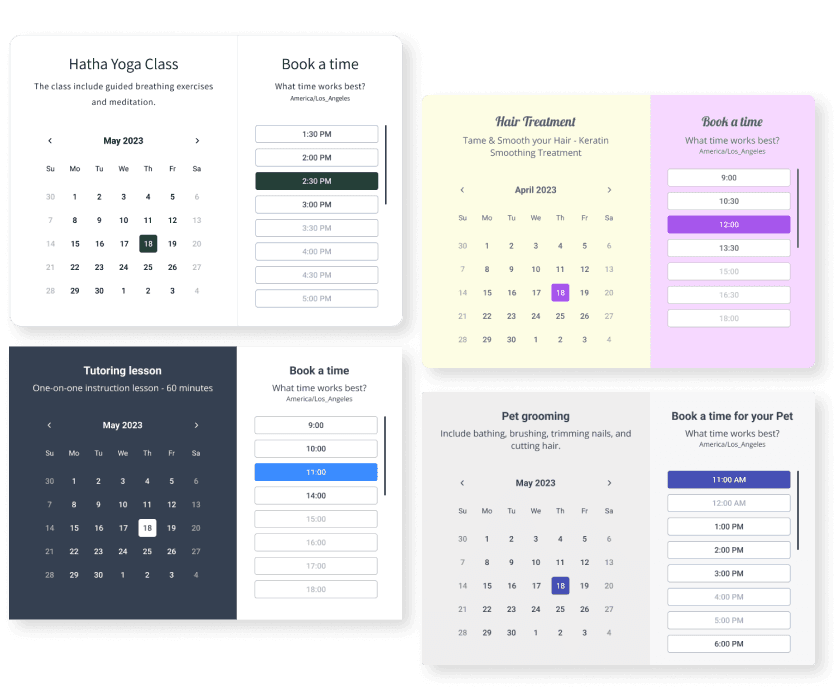

Car Maintenance AppointmentsアプリをOpencartサイトに埋め込むことがこれまでになく簡単になりました
カスタマイズしたCar Maintenance Appointments Opencartアプリを作成し、ウェブサイトのスタイルと色を一致させ、Car Maintenance AppointmentsをOpencartページ、投稿、サイドバー、フッター、または好きな場所に追加します地点。
How To Add a Car Maintenance Appointments App on Opencart:
Create a Free Car Maintenance Appointments App
Start for free nowPOWR Car Maintenance Appointmentsモジュールをダウンロード
Car Maintenance Appointmentsを見つけてOpencartページからダウンロードしてください。Opencartにモジュールをアップロードする
ダウンロードのモジュールを開いて、すべてを単一のフォルダに解凍します。あなたのOpencartエディタで、インストーラの下をクリックして、抽出したフォルダから両方のモジュールをアップロードしてください。Car Maintenance Appointmentsモジュールを有効にする
拡張ボタンに移動して、もう一度拡張をクリックします。 「モジュール」でフィルタを検索してCar Maintenance Appointmentsを見つけ、[インストール]をクリックしてOpencartに追加します。編集アイコンをクリックしてモジュール名を追加し、ステータスを無効から有効に更新してから保存します。OpencartのページレイアウトにCar Maintenance Appointmentsを追加します
[デザイン]の下の[レイアウト]に進み、追加するページを探しますCar Maintenance Appointments。モジュールの位置を選択して、ドロップダウンオプションからCar Maintenance Appointmentsを選択し、そしてadd moduleをクリックします。プレビューに編集Car Maintenance Appointments
アプリをプレビューするには、Car Maintenance Appointmentsの横にある鉛筆アイコンをクリックします。ここに戻ってCar Maintenance Appointmentsを編集できます
Undecided if our Car Maintenance Appointments app will suit your needs? We have all the details you need.
See the detailsRemove the Guesswork of Building Your Brand
Opencart webサイトを稼働させれば、ビジネスのオンラインプレゼンスを構築する上での最初の大きな課題を克服できます。おめでとう!

一部の企業は、最初にtry日曜大工(diy)Car Maintenance Appointmentsを行うか、computer guru a Car Maintenance Appointmentsを作成できると主張する「in 'no time'」を持っています。
さらに、Car Maintenance Appointmentsのカスタマイズと更新にはさらに時間がかかり、新しい問題やバグが発生する可能性があります。
Powrは拡張性を考慮して構築されているため、利用可能な最先端の組み込みセキュリティと大量の機能を備えています。

さらに、私たちのエキスパートエンジニアのチームは、Opencart Car Maintenance Appointmentsのようなpowrアプリが機能し続けるように昼夜を問わず働いています。
それでもfind it unbelievableの場合は、take a look at手作りの木製フレームを製造しているサングラス会社のrbiashadesがdesignsを持っているものをbeen able to create。



All POWR apps are built for peak-performance.
See apps in action

Trusted by the best in the biz!
POWR has helped over a half million businesses on every continent
(besides Antarctica, because of course not)


Frequently Asked Questions
Learn more about how to add POWR apps to your website.
Yes, any POWR app will work perfectly on any website. What’s better, is the patented POWR Live Editor is the same regardless of the app.
- Easily add more than one (for free)
- Edit to your needs directly from your live site
- Changes are made instantly
Absolutely! The POWR Car Maintenance Appointments widget is optimized for mobile, ensuring that it looks great and functions smoothly across all devices, including phones and tablets.
This optimization enhances user experience, contributing to higher engagement rates on your Opencart site.
POWR Car Maintenance Appointments allows you to edit every detail such as fonts, colors, borders, and spacing directly from the editor, ensuring your Car Maintenance Appointments perfectly match your brand's identity.
This flexibility makes it easy to integrate and align with your site's look and feel.
Adding Car Maintenance Appointments to your Opencart site is fully outlined above and straightforward with no coding required.
Simply follow POWR's setup guide, which is as easy as copy/pasting the provided code snippet into your site's HTML.
This ease of installation makes it convenient for Opencart site owners to implement Car Maintenance Appointments and gather feedback from their audience.
Using POWR Car Maintenance Appointments on your Opencart site offers numerous benefits, including enhanced customization options and easy installation without coding.
These features help improve your site's user engagement by allowing visitors to provide valuable feedback, leading to better online growth.